
Bike Sharing Software & Fleet Management System
Run your bike and e-bike sharing service with Movium. Give riders an app to find and book a bike, while your team manages availability, stations, payments, and maintenance from one dashboard.
Support public sharing networks, employee bike programmes, and rental services with your own branding and operating rules.
Trusted by mobility operators and businesses











Station-based vs Free-floating
Choose how riders pick up and return your bikes
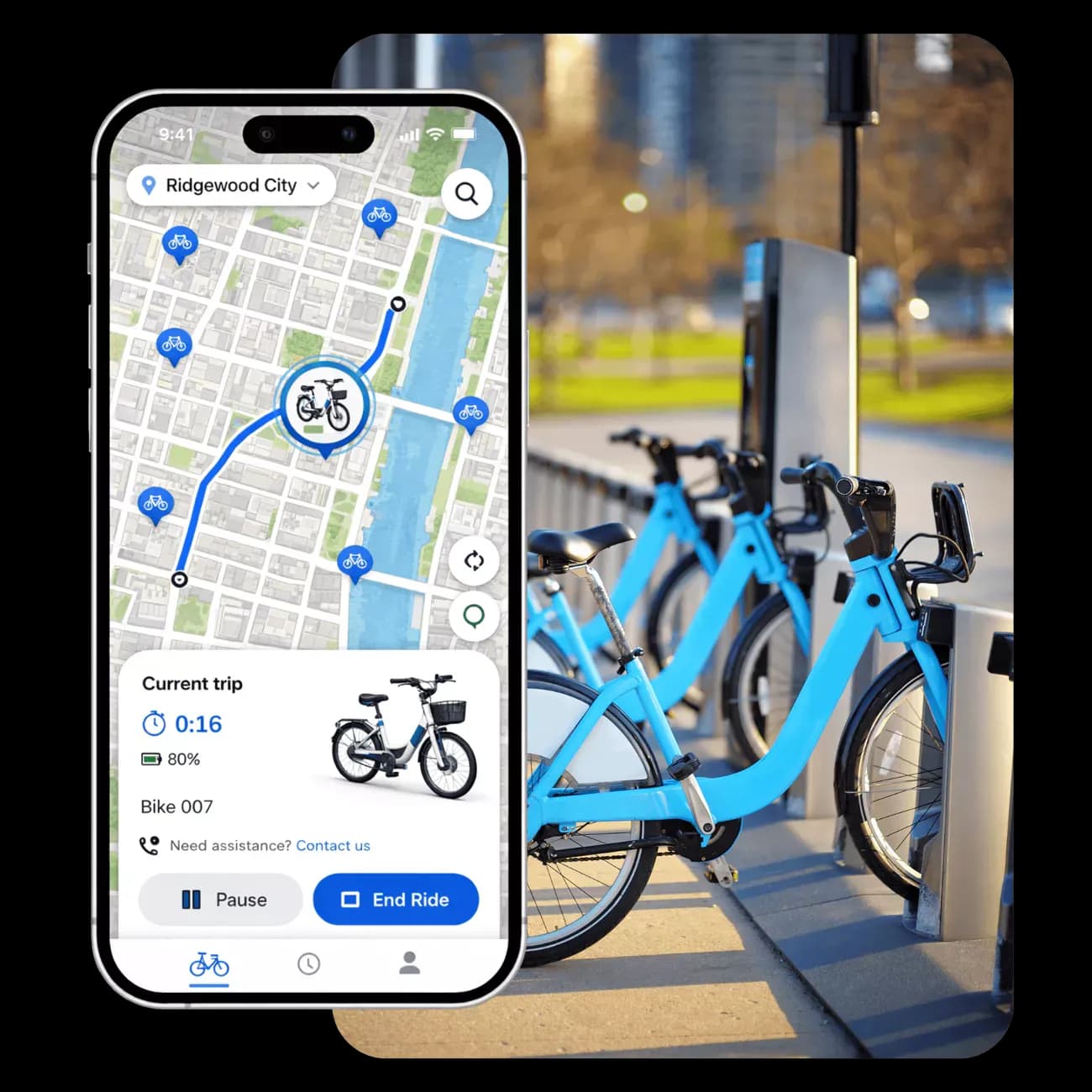
Set up your service around physical docking stations, designated parking areas, or free-floating access. Movium supports different sharing models within the same platform.

Station-based sharing
Use station-based sharing software to manage bike pickup and return at defined locations. Connect physical docking stations or create virtual stations on the map, with return rules visible in the rider app.

Free-floating sharing
Let riders find and return bikes within your service area. Define operating boundaries and no-parking zones so users know where they can finish their trip.

Hybrid networks
Combine docking stations with virtual parking areas and free-floating access. Configure different rules by location to serve busy transport hubs, residential areas, and workplaces.
Real-Time GPS Tracking & Alerts
See where your bikes are and which need attention
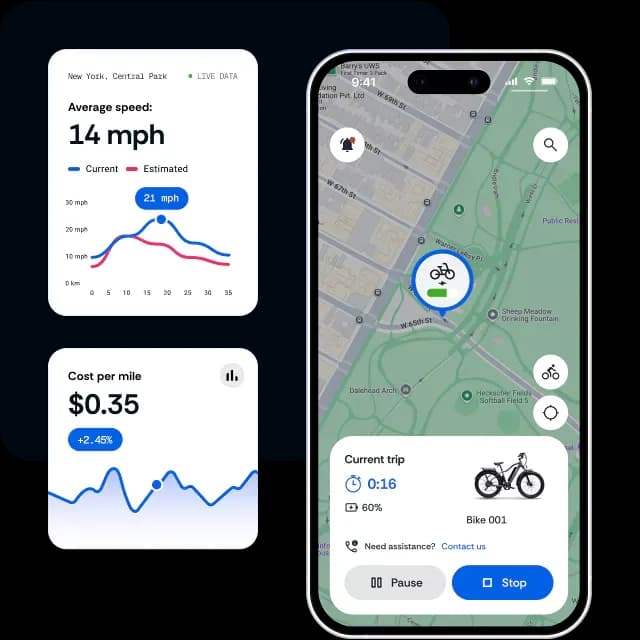
Movium’s bike fleet tracking brings location, availability, and ride activity into one map. Your team can check fleet status and identify bikes that need collection, charging, or servicing.

Track locations and availability
See which bikes are available, reserved, in use, or out of service. View their location and recent activity without switching between separate tracking and booking systems.

Manage service areas and parking
Create and update operating zones from the dashboard. Set pickup and return boundaries, show approved parking areas in the app, and monitor bikes outside your service area.

Act on alerts
Receive notifications about low batteries, maintenance needs, and service-area exceptions. Give your team the information needed to investigate an issue and take action.
Bike sharing for active commutes
Give riders a clear route from booking to return
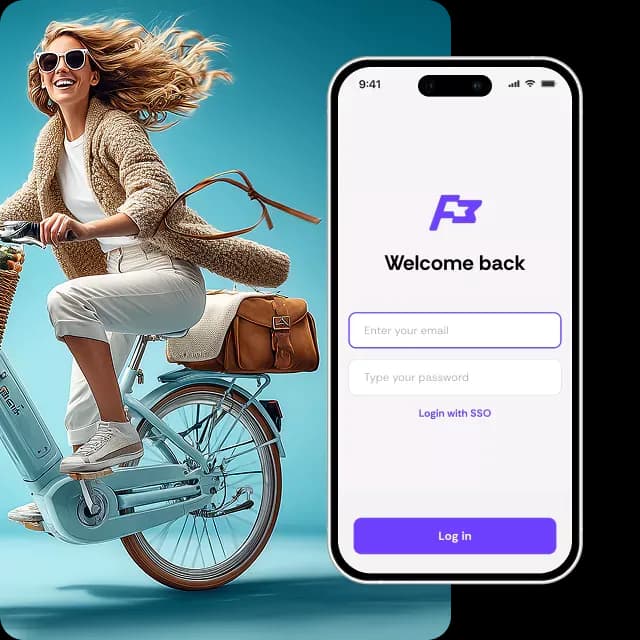
Offer a bike-sharing app with your logo and colours. Riders can manage their account, access bikes, and review their trips, while your team controls bookings and user permissions.

Find and reserve a bike
Riders check nearby bikes and availability in the app. Support immediate access or reservations for a specific time slot, depending on how your service operates.

Access the bike
Let riders open a compatible lock through the app or use an RFID card with supported equipment. Link bike access to the booking and the user’s permissions.

Complete the ride
Guide riders to an approved return location. They can report damage and complete the return process, with trip details recorded in the platform.
More bikes ready. Less downtime.
Keep e-bikes charged and ready for the next trip
An e-bike fleet management system needs to show more than location. Movium brings battery data, service tasks, and bike availability together so your team can plan the work that keeps the fleet running.

Plan charging and battery swaps
Monitor battery levels on connected e-bikes and identify those needing attention. Assign charging or battery-swap tasks to operational staff before returning bikes to service.

Handle repairs and damage reports
Collect rider-reported issues and keep a service history for each bike. Mark bikes as unavailable during repairs so customers can choose another vehicle.

Schedule routine maintenance
Set maintenance reminders based on time or recorded mileage. Track scheduled work alongside reported faults to help staff prioritise their workload.

Organise collection and redistribution
Assign staff to collect, service, and reposition bikes. Use ride activity and demand patterns to decide where available bikes are needed.
Bike sharing for active commutes
Manage rental charges and measure fleet performance
Set the commercial rules for your service and see how each bike contributes. Movium connects bookings and payment records with the operational data behind them.

Configure rates, passes, and subscriptions
Offer time-based rentals, ride packages, or recurring subscriptions. Apply pricing rules that suit your locations and customer groups, with payment collection through connected providers.

Keep rental bookings and billing together
Track bike rental fleet management tasks from reservation to return. Check availability for the requested rental period, apply the relevant rate, and keep charges linked to the booking.

Understand how your fleet is used
Compare trips per bike, rental duration, utilisation, and downtime. Review results by period or location to identify bikes that sit idle and areas where demand is higher.

Follow revenue and station demand
Track revenue per bike and review activity across your network. Use reports and heatmaps to inform pricing changes, station planning, and fleet redistribution.
Bike sharing for active commutes
Connect your bikes, stations, and business systems
Bring data from your connected equipment into Movium. Manage bike access and operational information through the same platform your team uses for bookings and customer accounts.

Bike trackers, locks, and docking stations
Connect supported GPS trackers, electronic locks, and station equipment. Monitor location and battery data, and control bike access according to the capabilities of the installed hardware.

Payments and customer services
Connect payment providers and customer communication tools. Keep payment activity linked to rides and accounts so your team can follow up on customer questions.

APIs and shared mobility data
Exchange information with your existing business software through APIs. Support mobility data connections such as GBFS for sharing service availability and MDS for operational reporting, where required.
PLATFORM OVERVIEW
Tools to manage your bike-sharing service

Live bike tracking
See bike locations and availability across your service area. Identify bikes that are in use, reserved, or waiting for collection.

Bookings and bike access
Let riders find, reserve, and access bikes through your branded app. Manage booking times and access rules from the operator dashboard.

Stations and parking zones
Define where riders can pick up bikes and end their trips. Manage physical stations, virtual parking areas, and service boundaries from one dashboard.

Maintenance & monitoring
Track battery levels, schedule servicing, and review reported faults. Help your team prioritise charging and repairs to get bikes back into service.

Manage Pricing & Payments
Set rental rates, ride passes, and subscriptions to suit your service. Keep payments connected to rider accounts and bookings for easier billing follow-up.

Usage & revenue reports
Review trips, utilisation, and revenue across your fleet. Compare activity by bike or location to guide pricing, maintenance, and station planning.

White-label rider app
Use your own logo and colours throughout the customer experience. Keep your service recognisable from registration to the end of a ride.

User groups and permissions
Give fleet managers and administrators the permissions they need. Organise users and fleets into groups to manage access across locations.

Fleet redistribution
Use demand patterns and station activity to see where bikes are needed. Assign collection and repositioning tasks to keep bikes available at busy locations.
how to get started
Set up your bike-sharing service with Movium
1. Discuss your fleet and operating model
Tell us about your bike types, fleet size, locations, and customers. We’ll review how riders will book, access, and return bikes, along with the tools your team needs.
2. Review your configuration and quote
Receive a proposal based on your software requirements, hardware connections, and integrations. Agree on the scope and rollout plan before setup begins.
3. Configure and test the service
Set up branding, user permissions, stations, operating zones, and pricing. Connect the required equipment and test the booking, payment, and return processes.
4. Train your team and begin operations
Prepare staff to manage bookings, respond to alerts, and maintain the fleet. Once the service is live, use the dashboard to monitor activity and adjust your operating rules.
Frequently Asked Questions
Flexible & Adaptable Mobility Platform
Explore other Movium solutions
Manage shared vehicles for employee travel, with bookings, access permissions, and usage reporting across departments.

Micromobility
Operate bikes, scooters, and mopeds with station management, service zones, and mobile access.
Read more
Fleet tracking
Monitor connected vehicles and review location, activity, and telemetry from a central dashboard.
Read more
Corporate mobility
Manage shared vehicles for employee travel, with bookings, access permissions, and usage reporting across departments.
Read more

contact us today
See how Movium fits your bike-sharing service
Tell us about your fleet, locations, and sharing model. We’ll walk you through the rider experience and the tools your team will use to manage the service.